

Shipments Header Actions with Shipping Quote Form and Customer Quote Storage
Overview
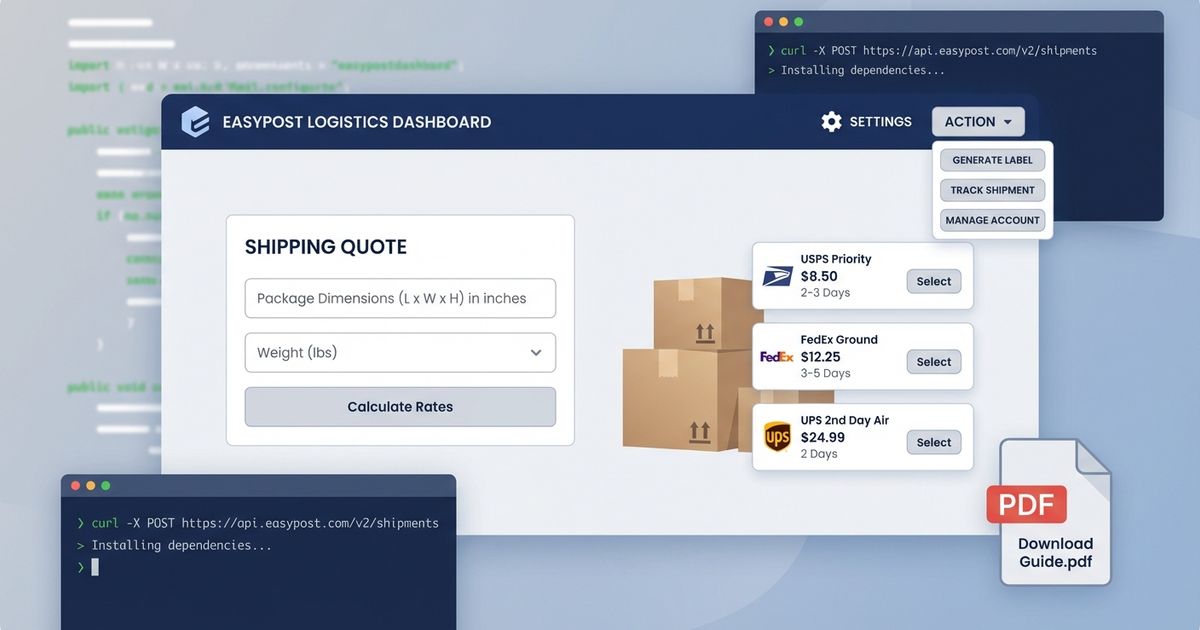
This guide implements a comprehensive shipping quote system with the following features:
1. Custom header in shipments list with gear icon and actions button
2. Shipping quote popup form with address input and package dimensions
3. EasyPost live rate fetching
4. Quote PDF generation and storage in customer documents
5. New customer field for storing quote attachments
Part 1: Custom Shipments Header Component
Create components/ShipmentsHeader.tsx:
Part 2: Shipping Quote Dialog Component
Create components/ShippingQuoteDialog.tsx:
Part 3: Update Customer Schema
Add shipping quotes field to customer.ts:
Part 4: EasyPost Get Rates Function
Create netlify/functions/easypostGetRates.ts:
Part 5: Generate Quote PDF Function
Create netlify/functions/generateShippingQuotePDF.ts:
Part 6: Update Shipments in deskStructure
Implementation Checklist
Component Setup:
☐ Create ShipmentsHeader component with gear icon and actions menu
☐ Create ShippingQuoteDialog component
☐ Add ship-to address textarea
☐ Add manual dimensions inputs (L×W×H, weight)
☐ Add product search and select
API Integration:
☐ Implement EasyPost rate fetching
☐ Display rates with save button
☐ Add customer selection for saving quotes
Schema Updates:
☐ Update customer schema with shippingQuotes field
☐ Make shippingQuotes collapsible
Serverless Functions:
☐ Create easypostGetRates Netlify function
☐ Create generateShippingQuotePDF function
☐ Upload PDF to Sanity assets
☐ Save quote reference to customer document
Desk Structure:
☐ Update deskStructure to include custom header
Testing:
☐ Test gear icon navigation
☐ Test schedule pickup navigation
☐ Test quote form with manual dimensions
☐ Test quote form with product selection
☐ Test rate fetching
☐ Test PDF generation and customer save
Dependencies
Install the following packages:
Key Features
1. Custom Header Actions: Gear icon for settings, dropdown menu for actions
2. Flexible Input: Manual dimensions OR product selection with auto-fill
3. Live Rate Fetching: Real-time quotes from EasyPost with multiple carrier options
4. PDF Generation: Professional quote PDFs with company branding
5. Customer Storage: Quotes saved directly to customer documents with metadata
Environment Variables
Add to your .env file:
Security Considerations
• Never expose EasyPost API keys in client-side code
• Use Netlify Functions for all API calls
• Validate customer IDs before saving quotes
• Implement rate limiting on serverless functions
• Add authentication checks for sensitive operations
Future Enhancements
• Add customer search autocomplete
• Email quote PDFs directly to customers
• Track quote acceptance/rejection
• Add quote expiration dates
• Support international addresses
• Batch quote generation for multiple products
Related Posts
The Biggest Sale In F.A.S. History: Extended Cyber Monday Week
Professional porting and custom coating services at 10% off - the perfect time to upgrade your performance. - F.A.S. Motorsports
NEW PRODUCT DROP: 2020+ 6.7L Powerstroke Piping Kit – Hand-Fabricated Performance
Introducing our latest in-house fabrication: a premium piping kit engineered for 2020-2026 6.7L Ford Powerstroke trucks.